

Skip to content

All your CNC production.One device.Your data.

ProdQ Box is a local MES for the CNC job shop: jobs, machine queue, inventory and costs — on a device that sits on your premises, not in the cloud.

  • Up to 20 machines
  • One price for the whole shop
  • Your data on your network
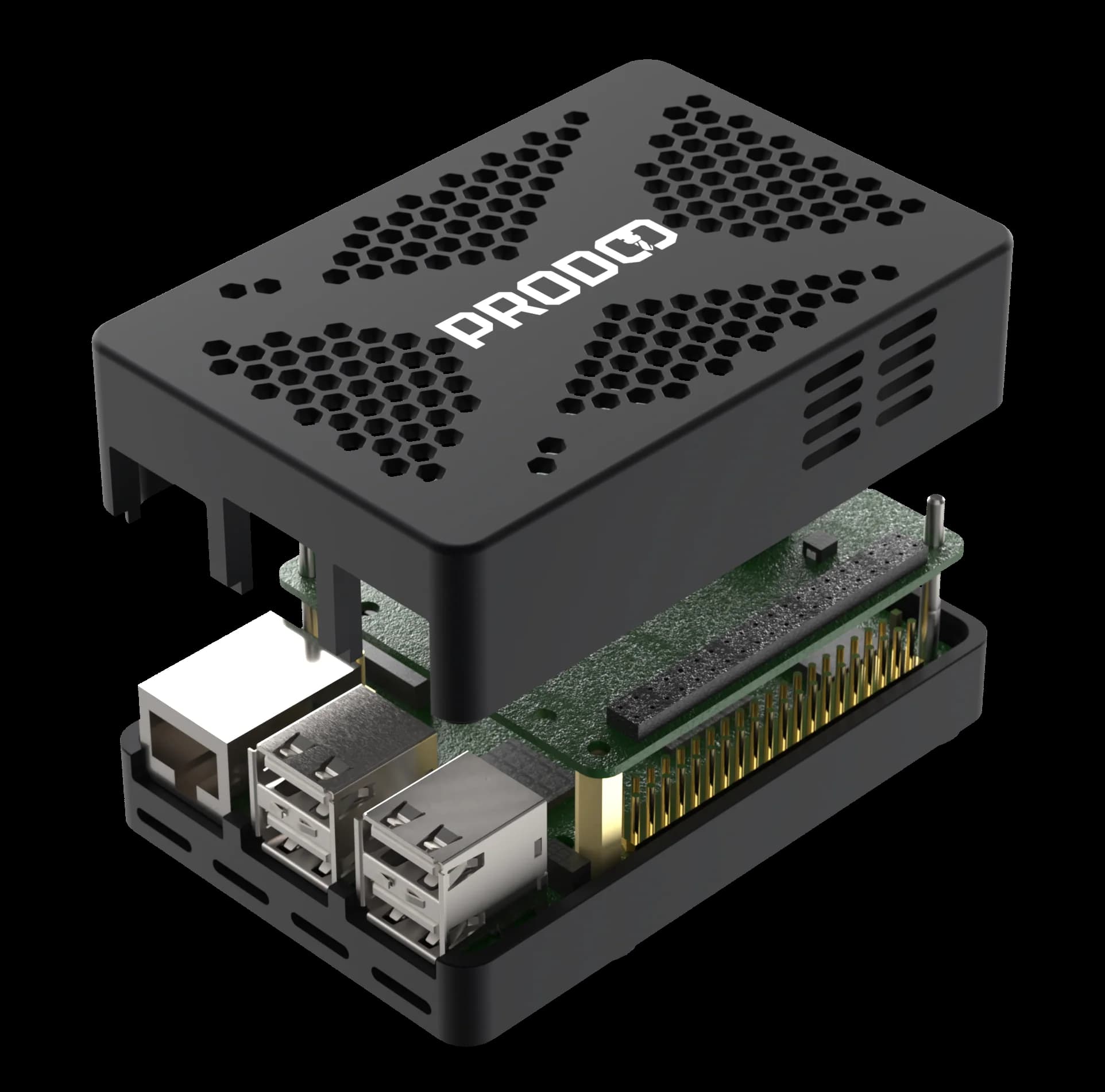
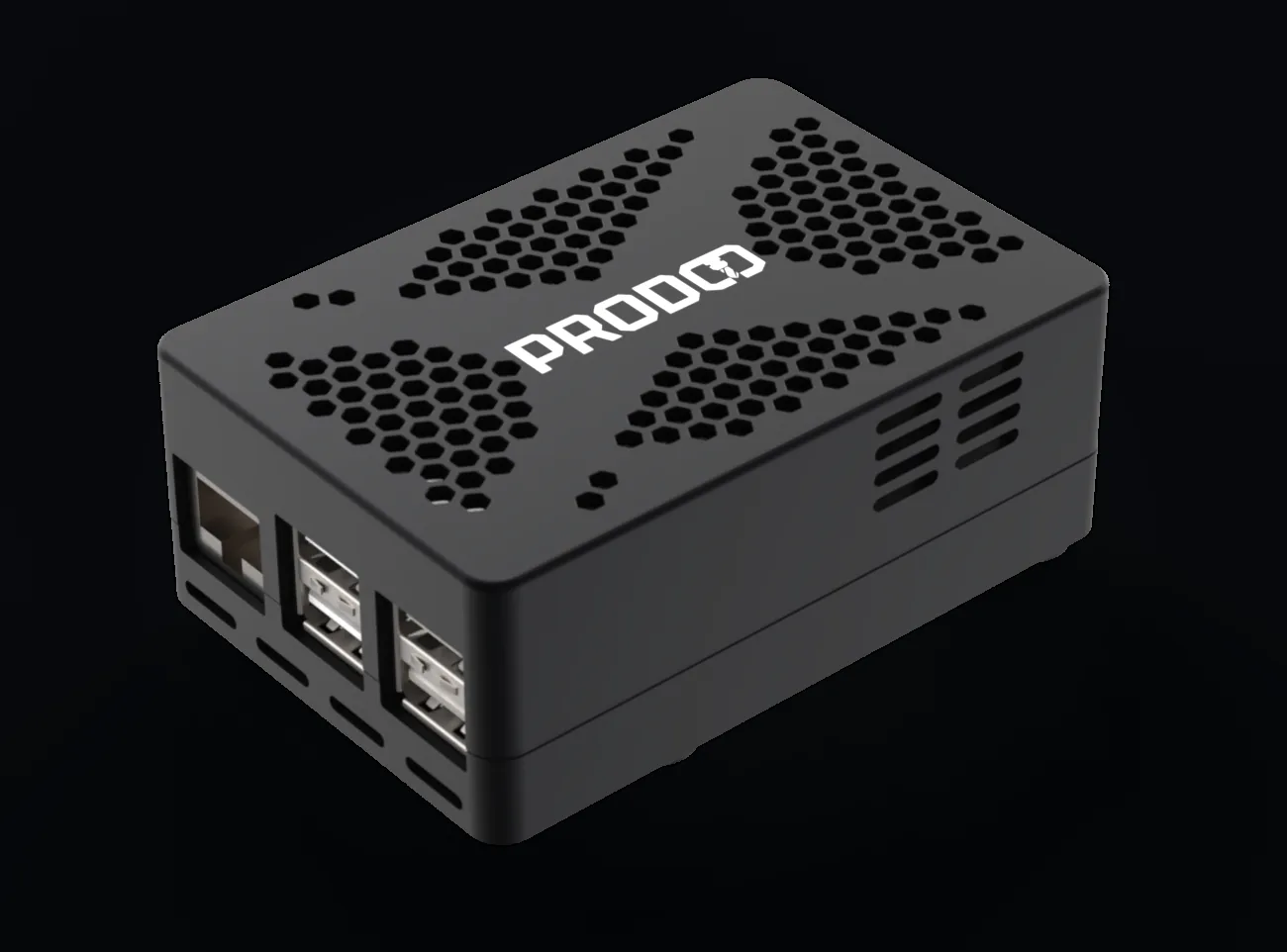
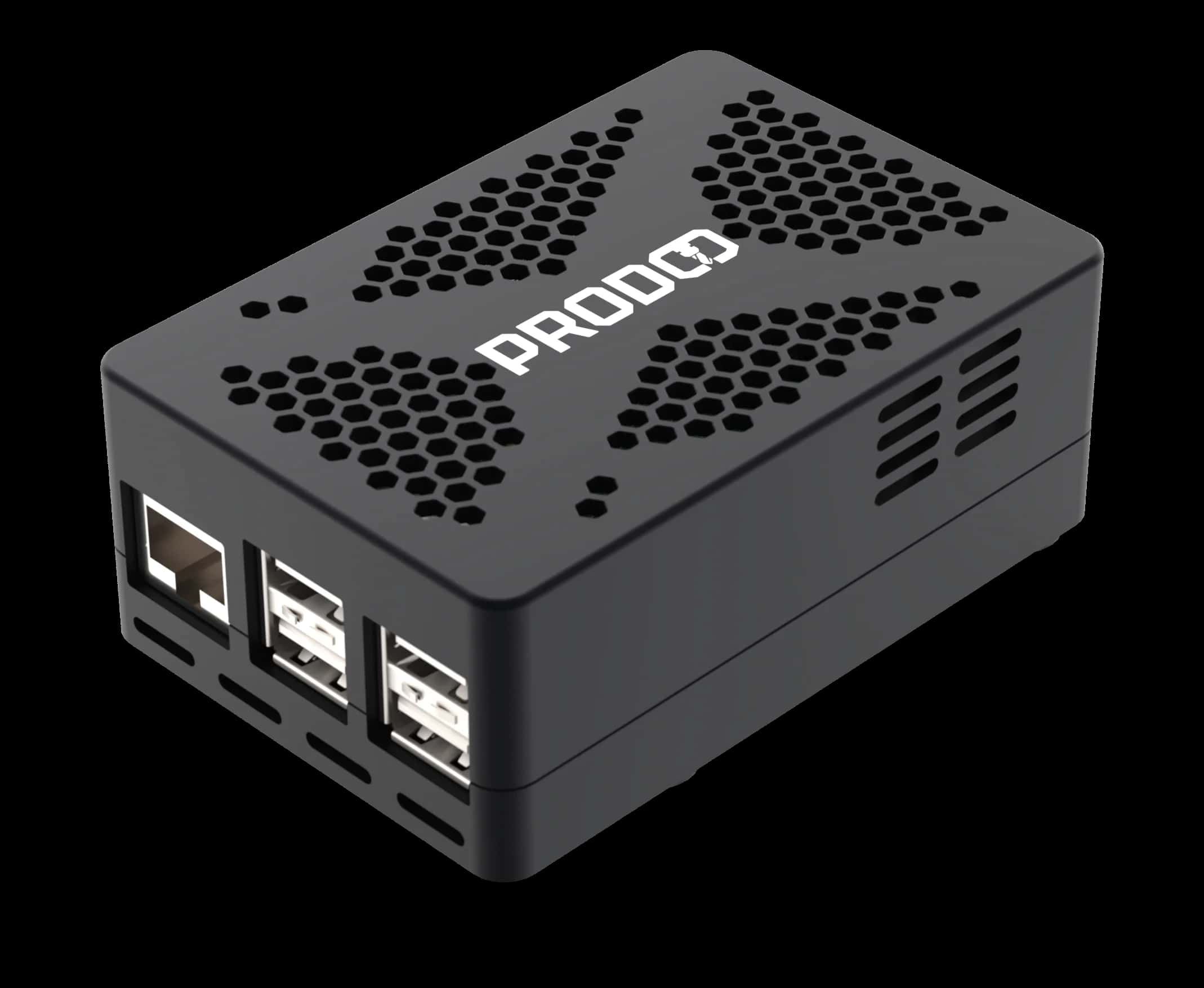
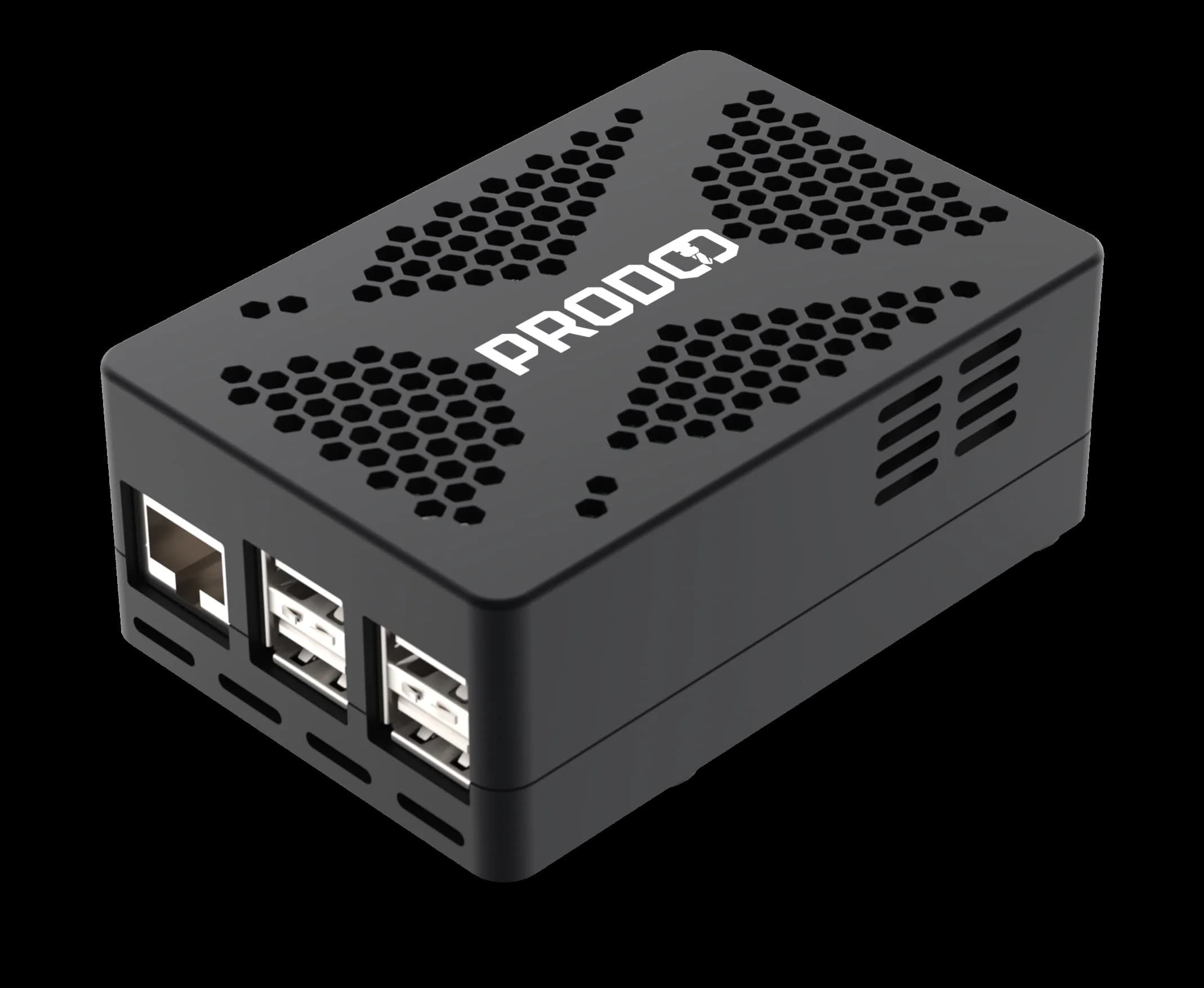
ProdQ Box — black enclosure with hexagonal ventilation, an Ethernet port and four USB ports

First deployment

Production at Inframet runs on ProdQ

Inframet — first ProdQ deployment

Two AFM BACA R1000 milling machines and an AFM VENUS 350 lathe, connected through the Sinumerik 828D adapter (S7/NCK). Every day we plan production here, queue jobs on the machines, keep an eye on stock levels and issue tools and materials through ProdQ.

Every month we recover more than 20 hours that used to go into coordination and chasing information: who is doing what, where the tool is, how much material is left.

With data from the controller we see in real time when a machine is running, when it is standing still and where the bottlenecks are — without asking the operator.

CNC machines on one device
3
hours of coordination recovered every month
20+
in production since
2024
Jakub Czubak, founder of ProdQ

Jakub Czubak

founder of ProdQ, CNC technologist and programmer

Built by a CNC technologist. Developed every day on real production — each feature comes from a need on the shop floor, not from a slide deck.

Live demo

See the working system. No sign-up.

Open ProdQ, log in with the ready-made credentials and check every module in 30 seconds — the management panel and the operator panel.

  • Full test access — edit freely, resets every night
  • Realistic CNC shop data, not empty screens
  • No form, no email — you go straight in

Login credentials

Management panel (jobs, queue, inventory, costs)

Login
demo@prodq.local
Password
demo2026

Operator kiosk (the panel at the machine)

Login
kiosk-demo@prodq.local
Password
kiosk2026
Open the demo in a new tab

Demo sandbox — changes reset every night. Critical operations (users, backups, power) are locked.

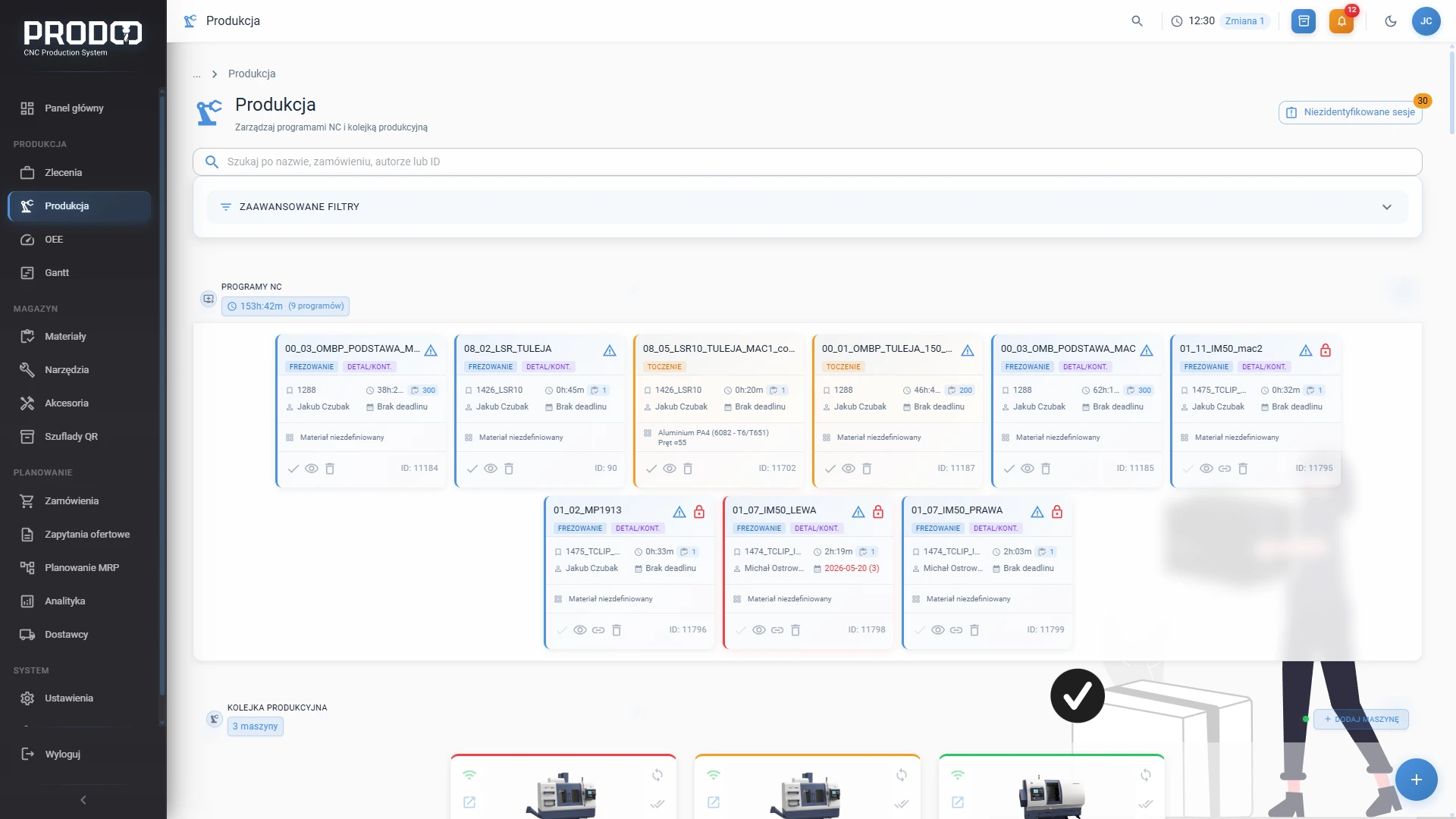
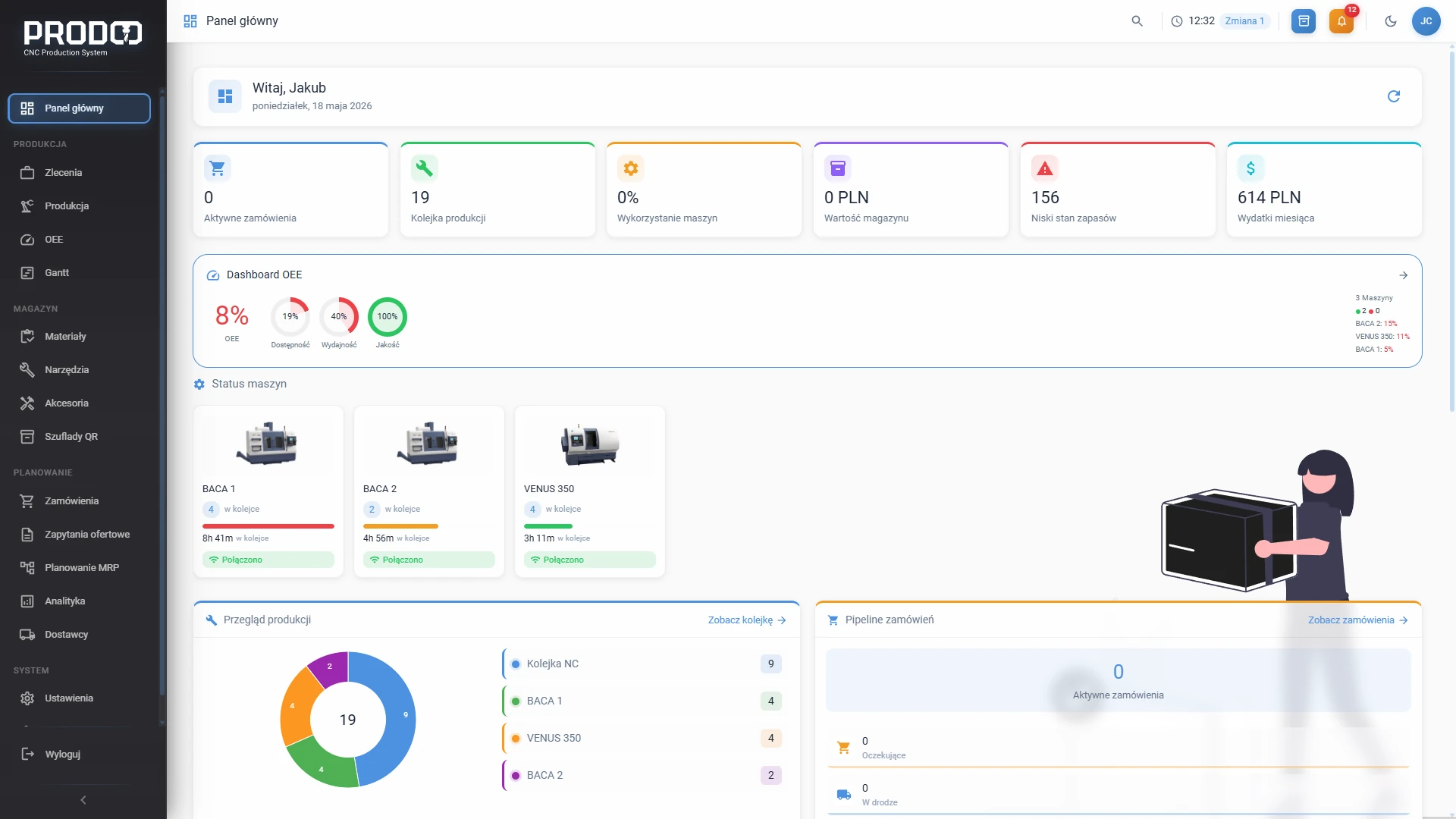
ProdQ main dashboard — active jobs, machine queue and inventory alerts

Prefer to talk? Apply for the test programme →

Everyday life in the shop

Sound familiar?

  • You plan production on paper or in Excel — and something is always going missing

  • You don’t know which machine is free until you walk out to the floor

  • A customer calls asking “when is my part ready?” — and you don’t have an answer to hand

  • The cutters run out, nobody ordered any, the machine stands still

  • The operator stands at the machine waiting for a program from the office

  • You don’t know which job makes money and which one burns it

ProdQ was built so that every one of these questions has an answer on one screen.

Device

Designed for the office. Connected to the floor.

ProdQ Box sits in your office and talks to the machines on the floor over the plant network. One device, the whole shop, no server room.

ProdQ Box from the front: Ethernet port and four USB ports, hexagonal ventilation on the lid

01

One cable to the shop network

Plug in power and Ethernet. The device announces itself on the network and sees the machines on the floor over the same cable you use to send programs today.

  • Ethernetone link to the plant network
  • 4× USBbackup drive, service keyboard
  • Enclosure of our own designbuilt for continuous operation
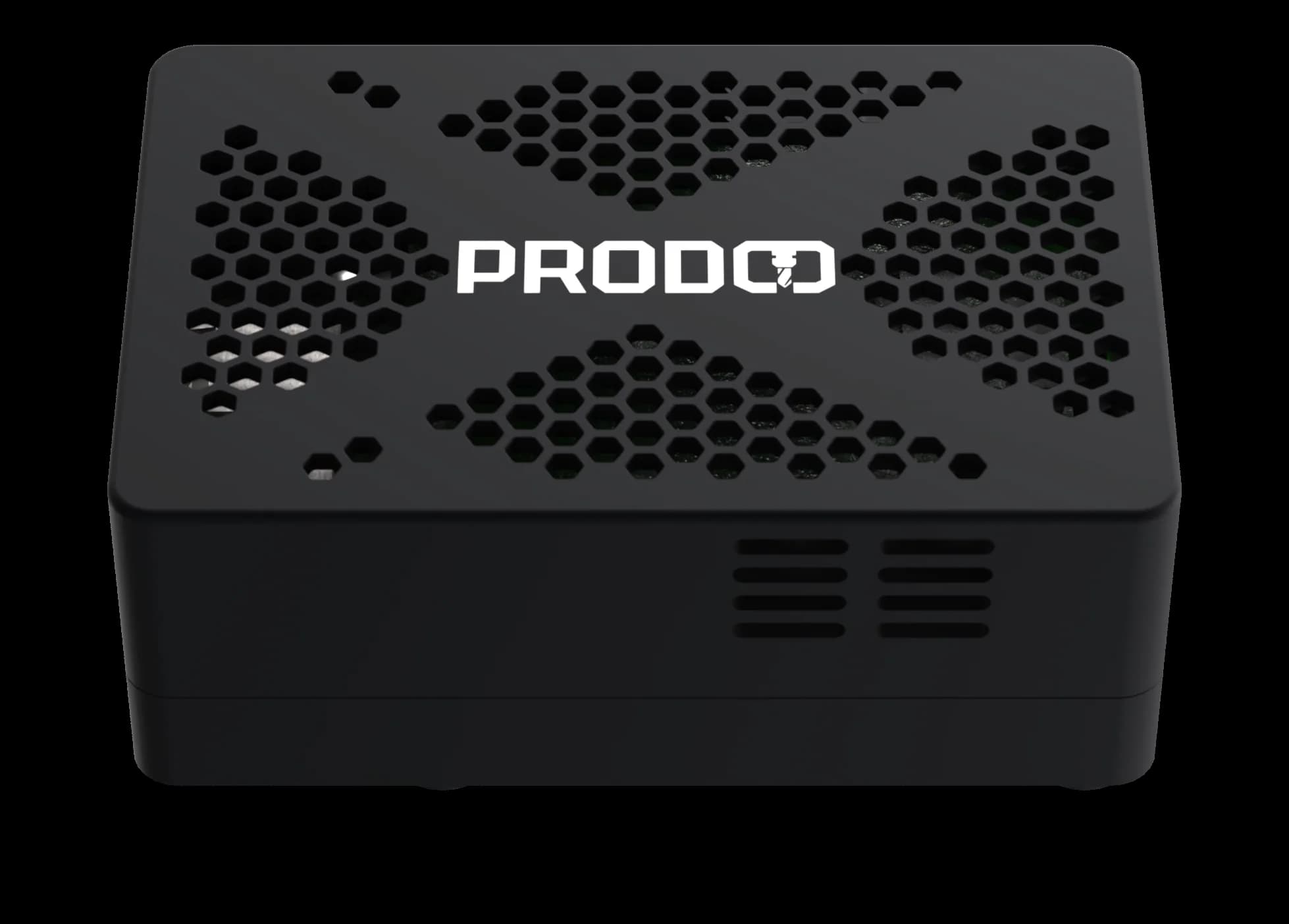
ProdQ Box from above: white logo and hexagonal ventilation on the black lid

02

Runs 24/7. Silently.

An industrial computer that runs around the clock, at office temperature, without air conditioning and without an IT person. It draws less power than a desk lamp.

  • Hexagonal ventilationcooling for continuous operation
  • Industrial computer, 24/7device health visible remotely
  • Under 30 Wpower draw at full load
ProdQ Box in exploded view: raised lid and the visible board stack with the drive

03

System preinstalled. Running in 5 minutes.

The ProdQ software is ready from the first boot. A fast NVMe drive holds NC programs, drawings and production data, and a backup runs by itself every night.

  • NVMe driveNC programs, drawings, data — with a daily backup
  • Ready-to-run softwarezero installation, zero configuration
  • Weekly updatesin a maintenance window you choose
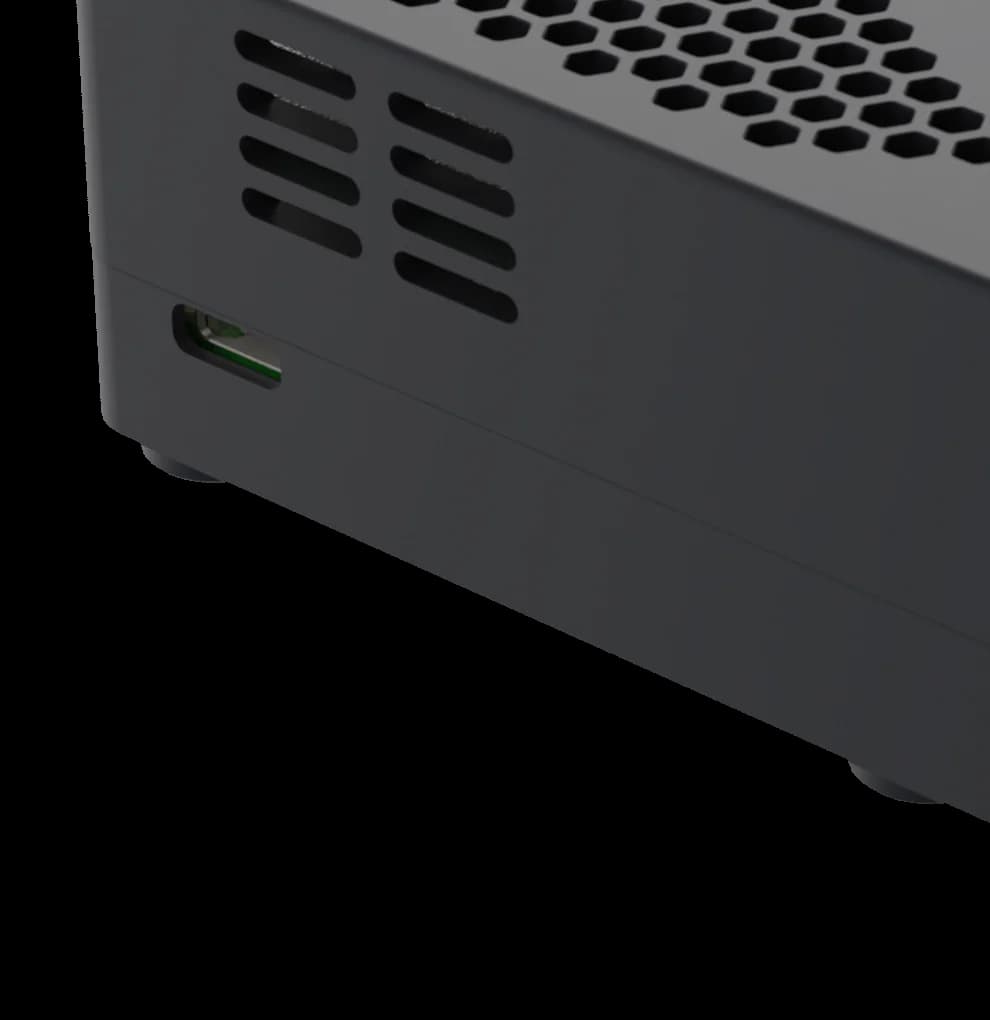
ProdQ Box from the back: close-up of the USB-C power port and the side vents

04

Powered from a wall socket. Ports at the back.

Power arrives over a single USB-C cable and every socket sits at the back of the case — on an office shelf you see the device, not a tangle of cables. After a power cut the device starts on its own and goes back to work.

  • USB-C powerone cable to the socket
  • Starts after an outageno IT visit needed
  • Ports at the backcables out of sight

System

Everything a CNC shop needs

16 modules of one MES. Jobs, queue, inventory, tools, NC programs and costs — with live machine view as a bonus, not the goal.

  • Drag-and-drop job queue

    Drag jobs between machines, change priorities, reserve material in one move. Replaces the whiteboard and Excel.

    Everyone knows what they are doing and what comes next

    Drag-and-drop job queue
  • Job management

    A job with line items, drawings, 3D model, material, customer and status. The quote works out time and cost for every line item from the routing, and the system sets that plan against the time measured on the machine.

    You see where the quote and the shop floor parted ways

  • Completed-job summary

    The Completed section groups NC programs by job name and adds up the program count, CAM time, planned and actual time, and material value on its own.

    Job time and material without manual arithmetic

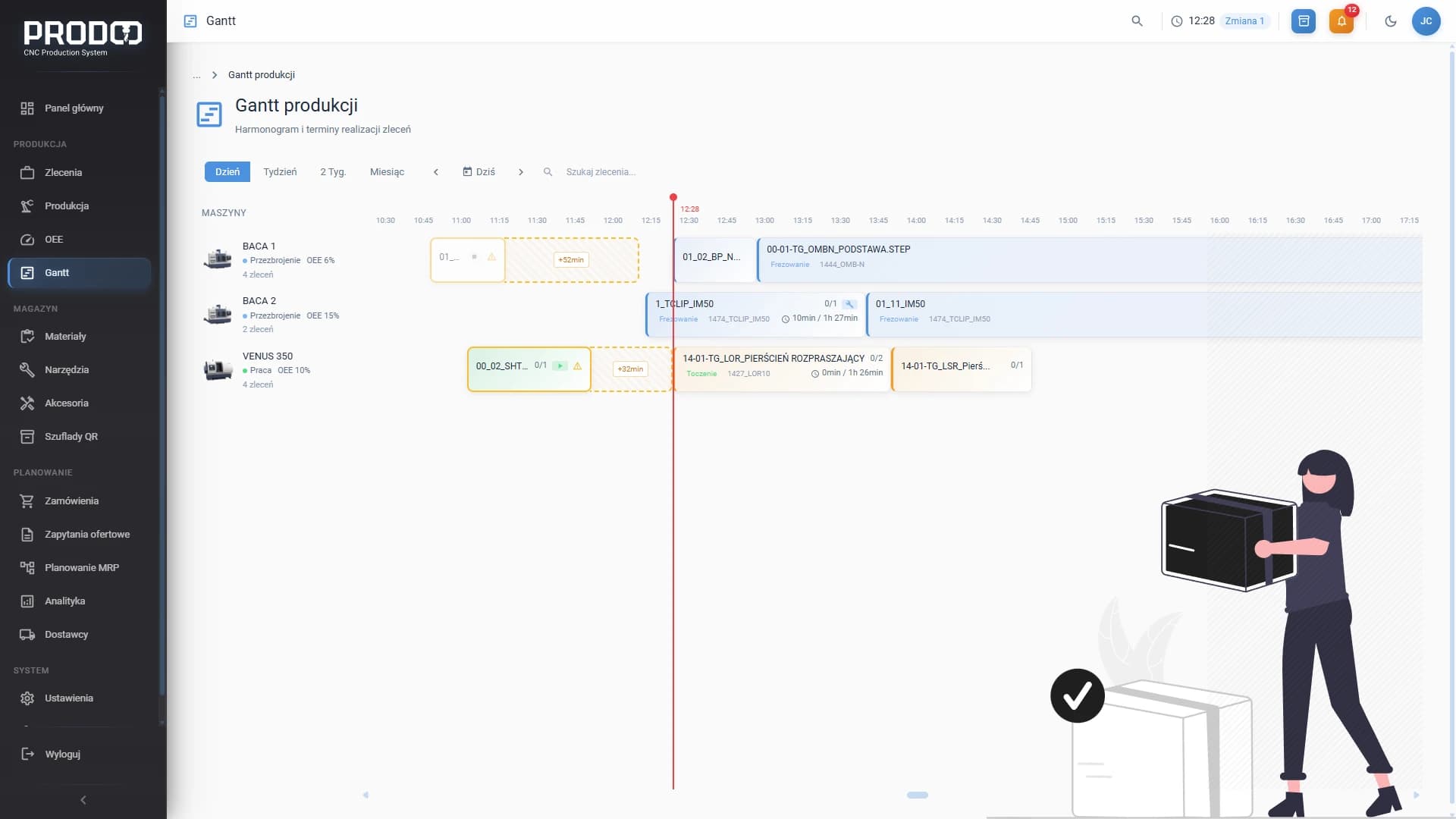
  • Gantt schedule

    A timeline of jobs on machines with dependencies and deadlines. You see when a machine frees up and whether you will make the delivery date.

    You plan deadlines on a timeline, not in your head

    Gantt schedule
  • NC programs at the machine

    Programs assigned to jobs and machines, a network share visible from the controller, auto-sync of the working folder. No more USB sticks.

    The program is where the machine is

    NC programs at the machine
  • Material inventory and MRP

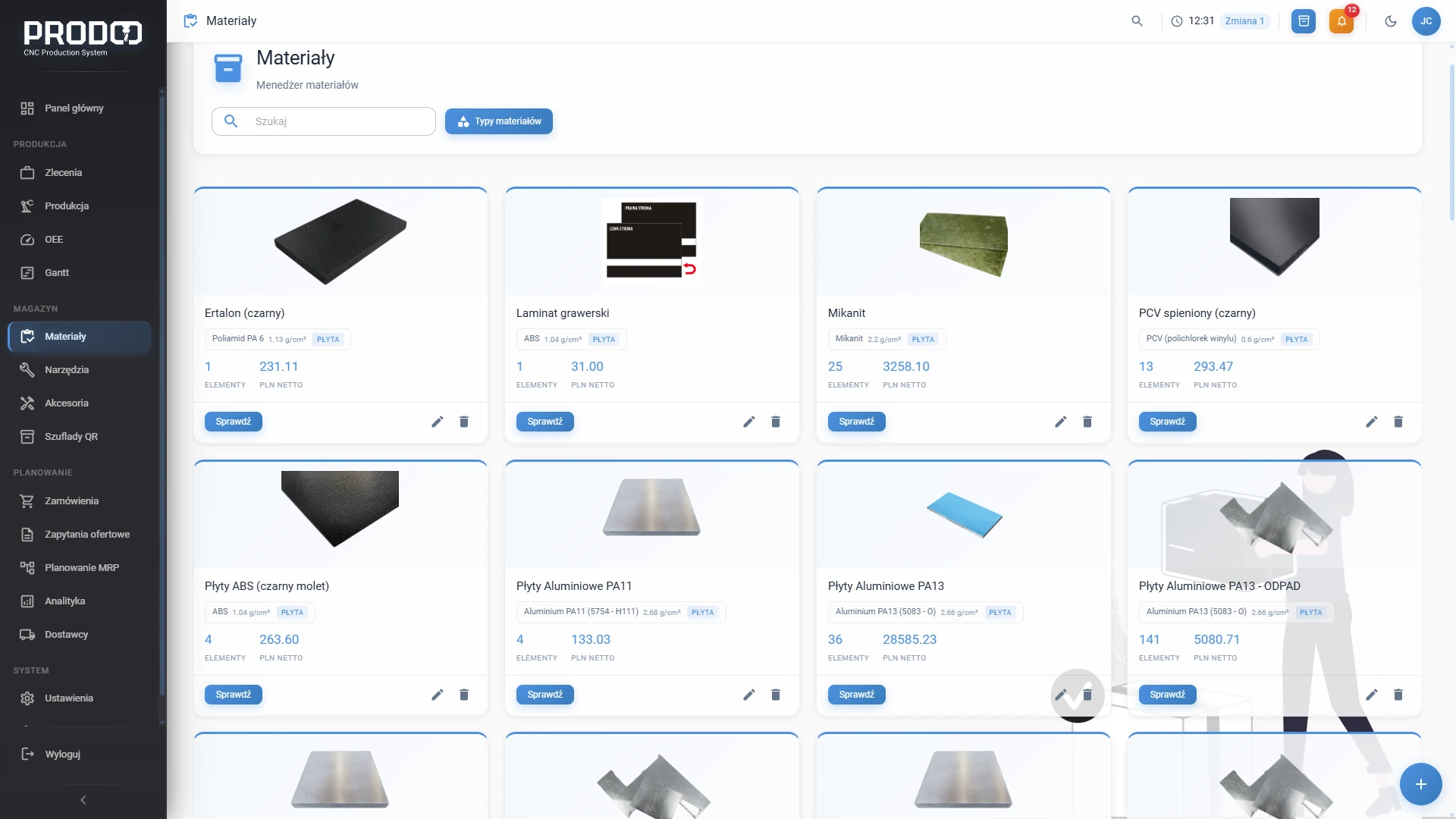
    Stock levels, dimensions, prices and reservations for active jobs. The system calculates demand and suggests what to order before you run out.

    Zero downtime from missing material

    Material inventory and MRP
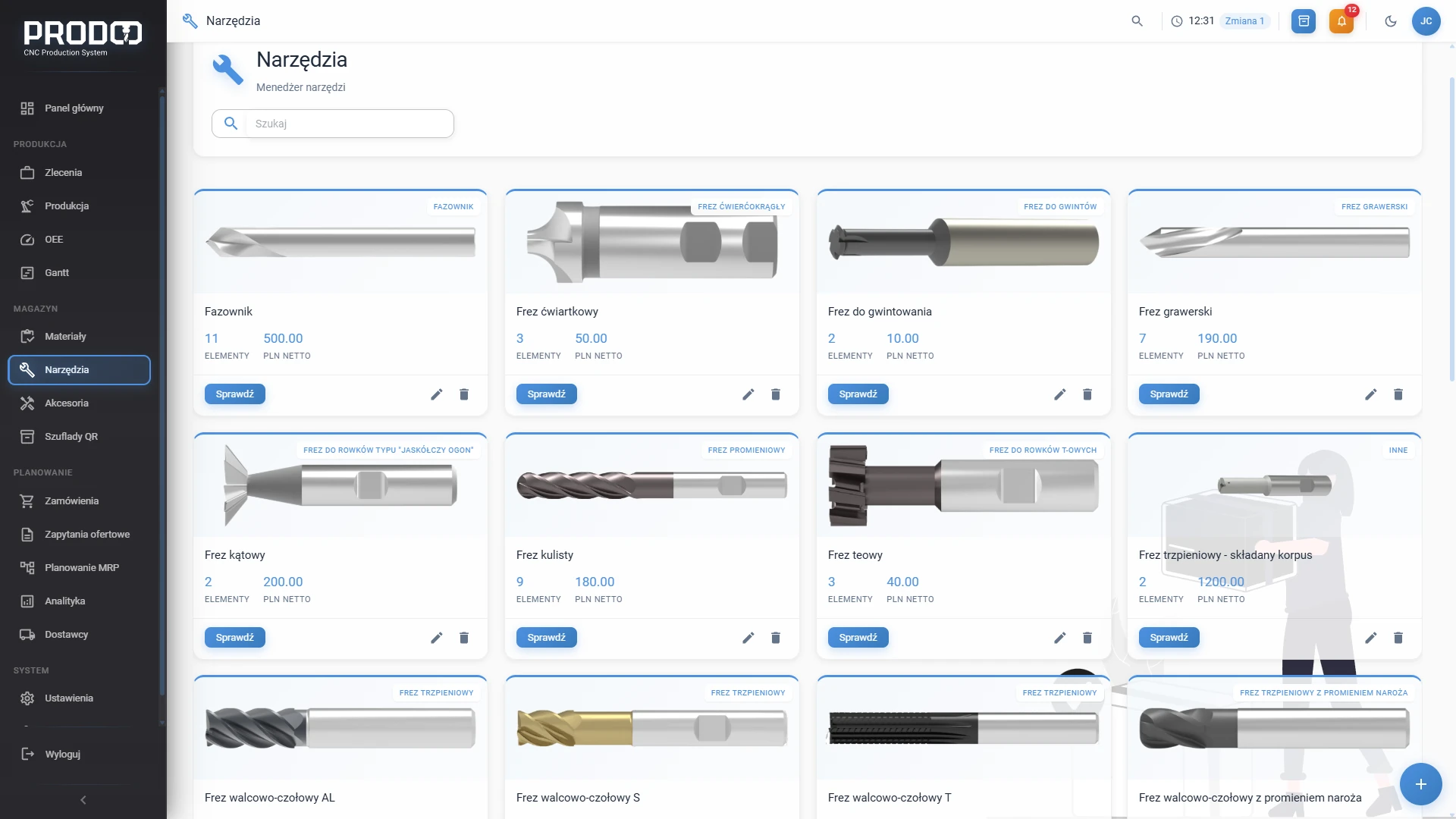
  • Tool inventory

    Groups, wear, location, valuation and replacement in one place. Low-stock alerts and tool life tracking.

    You know what a tool cost and how much life it has left

    Tool inventory
  • Accessories and consumables

    Bolts, fixtures, measuring tools — records with low-stock alerts and purchase suggestions alongside materials and tools. Export to XLSX.

    You will never run out of bolts

  • Requests for quotation (RFQ)

    One enquiry to many suppliers in a single click. Collect offers, compare prices, turn the best one into a purchase order.

    The best material price without trawling through emails

  • Supplier ranking

    Suppliers rated on delivery performance, quality and prices. Material price trends for negotiating with data in hand.

    Facts instead of gut feeling

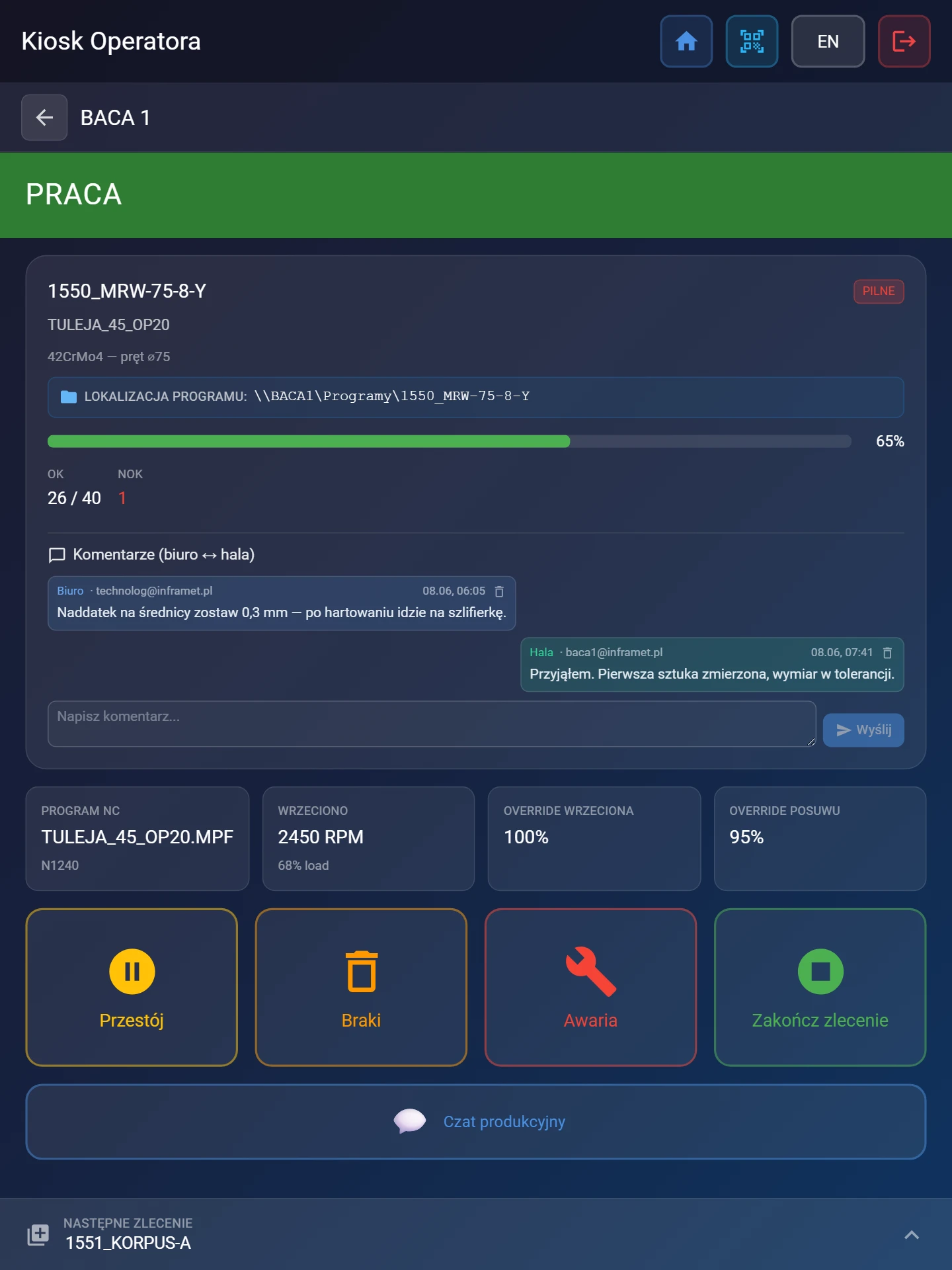
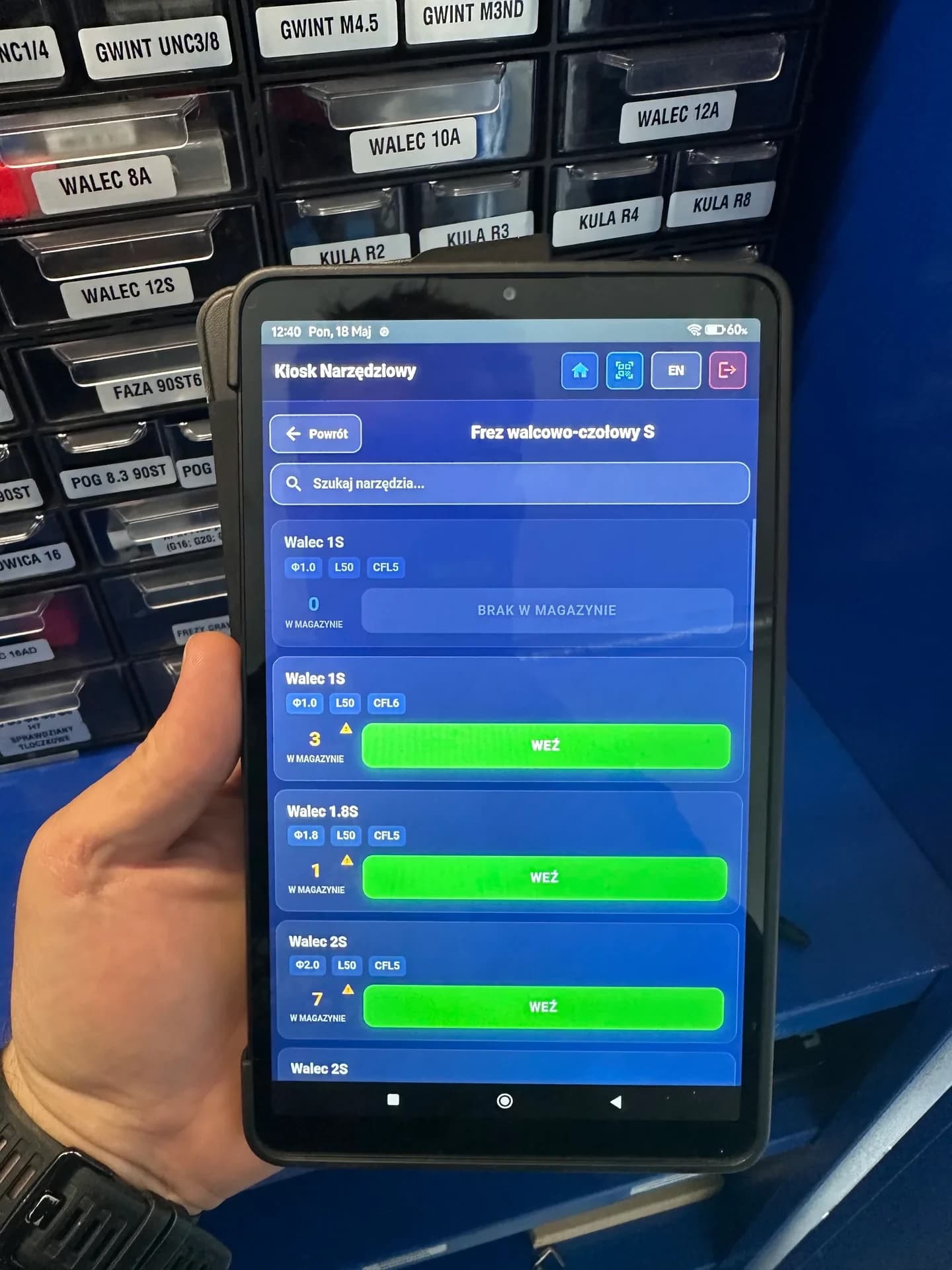
  • Operator kiosk

    A simplified view on the floor: one job, Start and Stop, times and quantities reported automatically. Works on a tablet and a phone, no training needed.

    Reports from the floor without walking the floor

    Operator kiosk
  • Warehouse kiosk

    The operator draws material and tools themselves, the system deducts them from stock and raises an alarm when stock drops below the minimum.

    Every withdrawal visible in the office

    Warehouse kiosk
  • Office–floor communication

    Comments on programs and jobs, chat at the machine, notifications about alarms, low stock and delays.

    Information comes to you — you don’t go chasing it

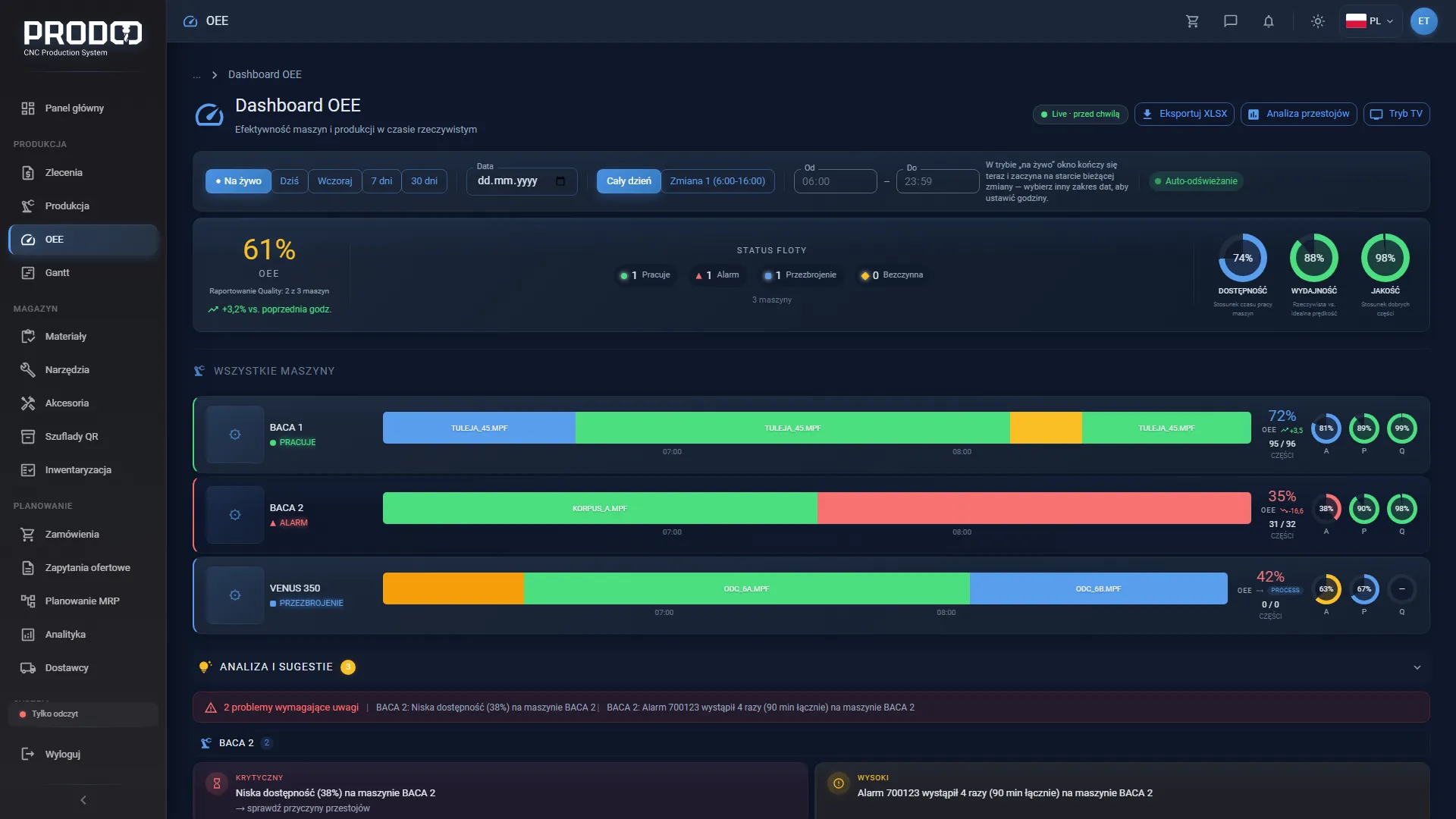
  • Live machine view

    The status of every machine in one view: what is running, what is standing still, when it will finish. A state timeline and, for those who want it, OEE calculated from controller data.

    You see the floor without leaving your desk

    Live machine view
  • Remote access and mobile

    Full view of jobs, machines and inventory from home or your phone at an encrypted HTTPS address — without opening ports on the router.

    Full control outside the company too

    Remote access and mobile
  • Backups and updates

    A daily encrypted backup to the drive and a USB stick with a recovery code. Weekly updates in a maintenance window you set yourself.

    The system looks after itself

Quote vs. actual

Quotes checked on the shop floor — plan against machine time

No more pricing by eye. The quote works out setup and machining time for every line item, and once an NC program is linked to the item, the system sets that plan against the time measured on the machine.

  1. Step 1

    Quote plan

    before the offer goes out

    From the routing, the quote works out setup and machining time for each line item, and from those the cost and the price for the customer.

  2. Step 2

    NC program

    from the programmer

    CAM time, fixture count, setup and part-change times give the theoretical time used by the queue and the schedule. The programmer records on the program how long it took to prepare.

  3. Step 3

    Measured time

    on the machine

    Setup and machining counted separately, from finished work sessions only — a session still running stays out of the result and the item is marked “in progress”.

For every line item you see the quote plan next to the time measured on the machine — setup and machining separately — so you know which part drifted from the plan. The CAM programming time from the quote sits next to the time declared on the programs: a programmer’s declaration, not a measurement.

Screenshots

See ProdQ in action

Job queue, machine times, inventory, NC programs and the operator panel — in one place, in real time.

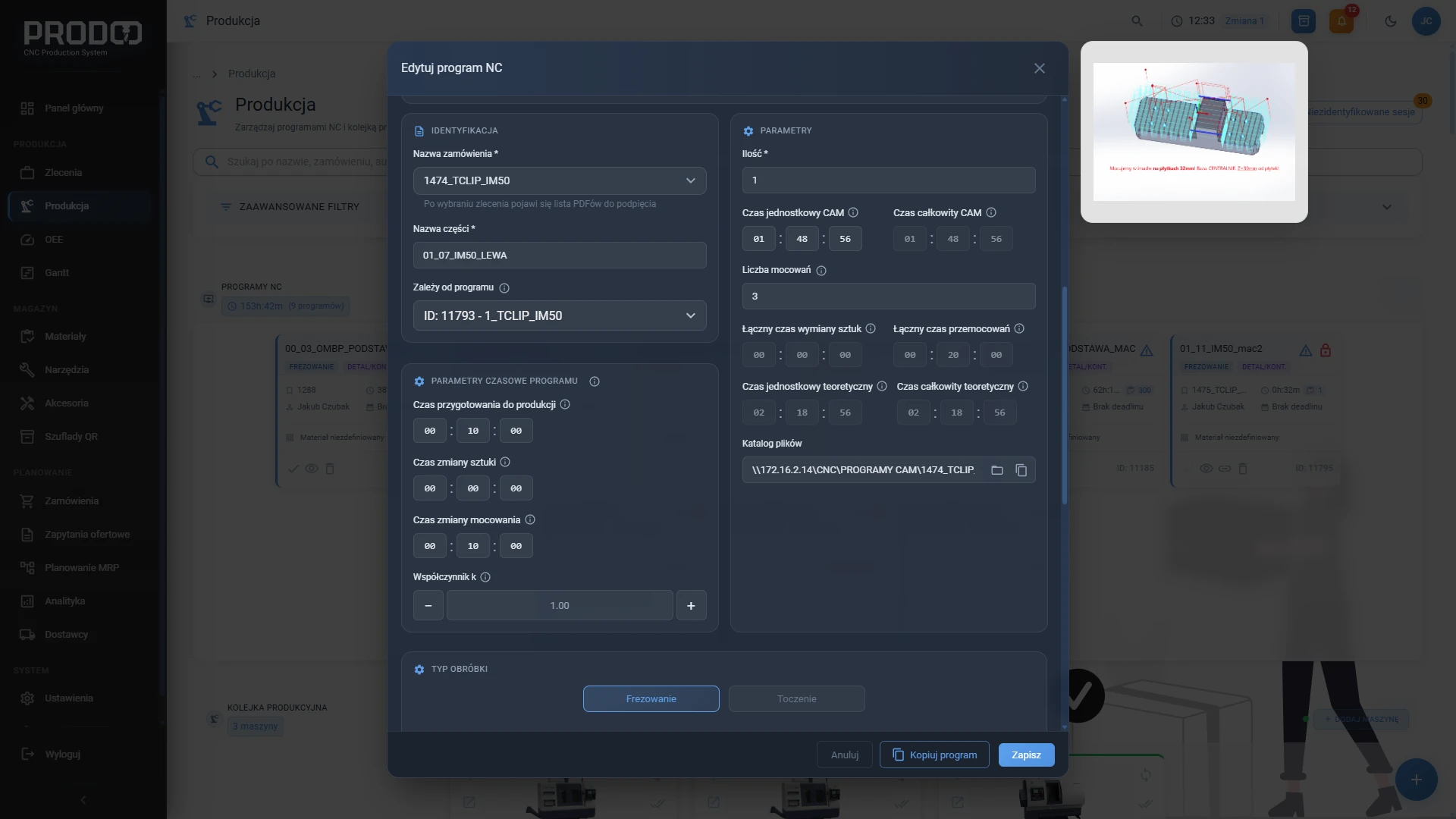
Programs on machines

The program card on a machine: job, program author, material, time, quantity and stage — setup or machining.

Controllers and protocols

We connect your machines. Without overpromising.

ProdQ works on three layers with different hardware reach. We say plainly which one works with every machine and which depends on the controller.

  1. 01

    Production management

    Jobs, queue, inventory, tools, costs, documents.

    Works with every machine — even without a controller connection.

  2. 02

    NC program transfer

    Programs reach the machine over a network share, and the queue tells the operator what is next.

    Any machine on the LAN that reads programs from a share — milling machines, lathes, also lasers and cutters.

  3. 03

    Live signals

    Machine state, cycle times, downtime, alarms — and OEE as a bonus.

    Depends on the controller: Siemens Sinumerik proven in production, the remaining adapters are brought up remotely during onboarding.

Controllers

  • Siemens Sinumerikproven in production
  • Heidenhaindeployment guide ready
  • Haasdeployment guide ready
  • Fanucadapter brought up during onboarding
  • Mazakadapter brought up during onboarding
  • Mitsubishiadapter brought up during onboarding
  • Okumaadapter brought up during onboarding
  • proven in production
  • deployment guide ready
  • adapter brought up during onboarding

Protocols

  • OPC UA
  • MTConnect
  • Modbus TCP
  • FOCAS
  • EtherNet/IP
  • S7
  • MQTT

Machine types

  • Milling machines
  • Lathes
  • Lasers
  • Waterjet cutters
  • Plasma cutters
  • Press brakes

Every machine type: production management, plus program transfer for machines on the network. Live signals depend on the controller — proven in production on milling machines and a lathe with Siemens Sinumerik.

Older Haas controls without Ethernet are connected over RS-232 through a converter to the LAN — the adapter and the guide are ready. For Sinumerik 810D/840D we so far have a guide for putting a digital I/O module on the network, but not yet an adapter that reads signals from it — so we cannot show live signals from these machines today. Production management works with them from day one.

Your controller isn’t on the list? Tick your machine brands in the form — we will tell you what we can connect straight away and what comes with onboarding. Apply for the test programme →

Deployment

Deployment without stopping production

The machines keep running. The device arrives configured for your shop, and we do the rest remotely.

  1. Plug into the network

    Power and one Ethernet cable in the office. ProdQ Box starts on its own and is available in a browser on your network.

  2. System ready in 5 minutes

    The device arrives with the system and the administrator account already loaded. First steps walk you through machines, the shop-floor account and the first program on a machine.

  3. We connect the machines remotely

    We connect with you, configure the adapters for your controllers and verify the data from the machines — no changes to NC programs and no downtime.

Onboarding, PLN 2 990 net one-off, covers a device configured for your specific shop (it becomes your property), remote onboarding and help connecting your machines. On-site visits are quoted separately.

Security

Your production data stays with you

Drawings, NC programs, prices and customer data are processed on a device on your network. Encryption, backups and access control work from day one — no configuration.

  • Drawings, programs and prices never go to the cloud

    Only service data goes to ProdQ and cloud services: device, licence and backup status, diagnostics for support, error reports and performance samples (technical context from logs, e.g. a program or job name; no accounts or e-mail addresses), updates, certificates, a DNS record and the public-holiday calendar. Plus whatever you switch on or send yourself: KSeF, e-mail through your own mailbox, feedback from the in-app form. Drawings, programs and prices leave your network only when your own people work in ProdQ remotely or ProdQ support connects to the device — always over an encrypted connection that ends on the device. Support uses this access and the emergency service channel solely for updates, diagnostics and technical support.

  • A green padlock on the local network too

    The connection to ProdQ Box is always encrypted. Three tiers of SSL certificates give you a green padlock in the browser on the company network, over the internet and offline.

  • Remote access without opening ports

    Check production from home and from your phone at an encrypted HTTPS address. No router configuration and no open ports.

  • Backups every night

    An encrypted backup to the device’s drive (14 daily copies) and to a USB stick (daily, weekly and monthly copies). You get the recovery code on a card; we keep a copy solely to restore the device after a failure. Three permission levels: administrator, user, kiosk.

Pricing

One price for the whole shop

No per-machine fees, no per-user fees. The device, the full MES, updates and support in one subscription.

ProdQ Box — whole shop

ProdQ Box — whole shop

Billing
790PLN/month net

when paid a year in advance (9 480 PLN net/year)

up to 20 CNC machines, no per-machine fees

Onboarding

2 990 PLN net, one-off

A device configured for your shop — it becomes your property — plus remote onboarding and help connecting your machines. On-site visits are quoted separately.

Included

  • Full MES — 16 modules
  • ProdQ Box device — yours to keep, included in the onboarding fee
  • Weekly updates
  • Technical support
  • Remote access over HTTPS
  • Daily backups

12-month agreement

A deployment partnership: full onboarding, adapters for your controllers and support throughout the first year. After a year the agreement continues on an open-ended basis.

One price for the whole shop — cloud competitors charge ~300 PLN for every machine or employee.

Price against value

How much does an hour you can’t see cost?

One CNC machine hour
120–250 PLN
ProdQ subscription in machine hours
4–7 h
One day of downtime on one machine (8 h)
960–2 000 PLN
Coordination recovered at Inframet
>20 h / month

One day of downtime avoided pays for a month of the subscription. Meanwhile the full MES works every day — on quotes, inventory and the queue.

Got 1–3 machines? We will tailor the terms — apply for the test programme and let’s talk.

Founder price 690 PLN/month net — exclusively for test programme participants, locked in for good. Test programme →

All prices net (+23 % VAT). ProdQ Box is a B2B product.

Prices in PLN net; invoices are issued in PLN.

Against the market

A full MES with machine data — for less than competitors charge for monitoring alone

A comparison of solution categories available to a CNC shop. Amounts from public price lists, as of September 2026.

  • Cost for 5 machines / month

    ProdQ Box
    890 PLN (790 on annual billing)
    Machine monitoring (SaaS)
    1 395 PLN — monitoring only
    Cloud planning
    ~200–600 PLN, grows with headcount
    Traditional MES
    deployment from ~30 000 PLN + maintenance
  • Cost for 20 machines / month

    ProdQ Box
    890 PLN
    Machine monitoring (SaaS)
    4 980 PLN
    Cloud planning
    grows with headcount
    Traditional MES
    on request
  • Full MES: jobs, MRP, inventory, tools

    ProdQ Box
    Yes — 16 modules
    Machine monitoring (SaaS)
    No
    Cloud planning
    Partially
    Traditional MES
    Yes
  • Machine data: states, times, downtime

    ProdQ Box
    Yes
    Machine monitoring (SaaS)
    Yes
    Cloud planning
    No — no controller integration
    Traditional MES
    Depends on the deployment
  • Production data stored on your premises

    ProdQ Box
    Yes
    Machine monitoring (SaaS)
    No
    Cloud planning
    No
    Traditional MES
    Depends on the deployment
  • Deployment time

    ProdQ Box
    Days, remotely
    Machine monitoring (SaaS)
    Days
    Cloud planning
    Days
    Traditional MES
    Weeks or months
  • Requires an IT department

    ProdQ Box
    No
    Machine monitoring (SaaS)
    No
    Cloud planning
    No
    Traditional MES
    Yes
  • Updates included

    ProdQ Box
    Yes — weekly
    Machine monitoring (SaaS)
    Yes
    Cloud planning
    Yes
    Traditional MES
    Paid or manual
  • Quote plan vs. machine time

    ProdQ Box
    Yes
    Machine monitoring (SaaS)
    No
    Cloud planning
    No
    Traditional MES
    Partially

Foreign OEE systems

850–1 400 PLN a month for a single machine (189–379 USD per machine plus an IIoT device). ProdQ for the whole shop: 890 PLN.

  • From 4 machines up, no comparable system comes out cheaper — and with the founder price, from as few as 2–3 machines.
  • Foreign OEE monitoring costs as much for one machine as ProdQ does for the whole shop.

Categories, not vendor names. Machine monitoring: Polish SaaS, 349 PLN per machine up to 2 machines, 279 PLN for 3–8, 249 PLN from 9 up. Cloud planning: subscription grows with the number of production staff, no CNC controller integration. Traditional MES: deployment offers for SMEs on the Polish market. Exchange rates approximate.

Calculator

What does ProdQ cost compared with machine monitoring?

Move the slider. We compare one price for the whole shop with a subscription charged per machine.

5 machines

ProdQ Box — whole shop

890 PLN/month

one price, up to 20 machines

with annual billing: 790 PLN/month

with the founder price: 690 PLN/month

Machine monitoring (SaaS)

1 395 PLN/month

279 PLN per machine × 5

Difference in ProdQ’s favour

6 060 PLN per year

505 PLN per month

From 4 machines up, no comparable system comes out cheaper — and the price includes a full MES, not monitoring alone.

Machine monitoring: public price list of a Polish SaaS (349 PLN per machine up to 2 machines, 279 PLN for 3–8, 249 PLN from 9 up) — monitoring only, without jobs, MRP and inventory.

ProdQ test programme

We’re taking 5 shops this edition.

The founder runs every deployment personally — that is why the intake is small and applications are qualified. Applying is a conversation, not a purchase.

  1. 01

    Application

    Fill in the form in two minutes: company, contact, machine brands and controllers.

  2. 02

    Shop qualification

    We get back to you within 24 hours. We ask about your machine park, controllers and what hurts most today.

  3. 03

    Individual onboarding

    A device configured for your shop, remote machine connection, the first jobs in the system together with us.

  4. 04

    Founder price for good

    Programme participants pay 690 PLN/month net — a price locked in regardless of future price-list changes.

  • A direct line to the founder

    No waiting for support. You talk to the person who wrote the system and uses it in production every day.

  • Influence on the product

    Your remarks from the floor go straight into the roadmap — features come from real needs, not from slide decks.

  • Adapters for your controllers

    As part of onboarding we bring up and verify the adapters for your machines.

  • Founder price

    690 PLN/month net

    For test programme participants only. Locked in for good.

FAQ

Frequently asked questions

Got another question? Call or write:

+48 791 336 091support@prodq.app

Application

Apply for the test programme

Leave your details — we will get back to you within 24 hours to talk about your shop and qualify the application.

optional — outside Poland: VAT number with country code
Machine brands / controllersoptional — helps us qualify applications

Limited places per edition • We reply within 24 h

  • GDPR and privacy
  • Reply within 24 h
  • Onboarding with the founder

Founder price

690 PLN/month net

For test programme participants — locked in for good, regardless of future price-list changes.

  • We’re taking 5 shops this edition
  • The founder runs every deployment personally
  • Contact within 24 hours of applying